Download DiskKind for Windows
Free, with no trial and no account. Made for 64-bit Windows 10 and 11 on x64 PCs. Get it from the Microsoft Store, or use the installer from this website.
Updated
The installer from this website
- Open the installer
Open DiskKind-Setup-1.0.4.exe from your Downloads. It installs for your account only, so it does not ask for an administrator.
- If Windows warns you
The installer is not signed yet, so Microsoft Defender SmartScreen may say “Windows protected your PC”. Check the file below, then choose More info and Run anyway.
- Open DiskKind from Start
DiskKind is in the Start menu, and in Settings, Apps, where you can uninstall it. Your licence and history stay if you do.
Version 1.0.4 · 9.3 MB · SHA-256 d2110da6175d963b8de82ff76a8a1c2d225b895d9ba6b053c03c2f48bc0d492e
In PowerShell, Get-FileHash .\DiskKind-Setup-1.0.4.exe prints the same SHA-256.
What it does on Windows
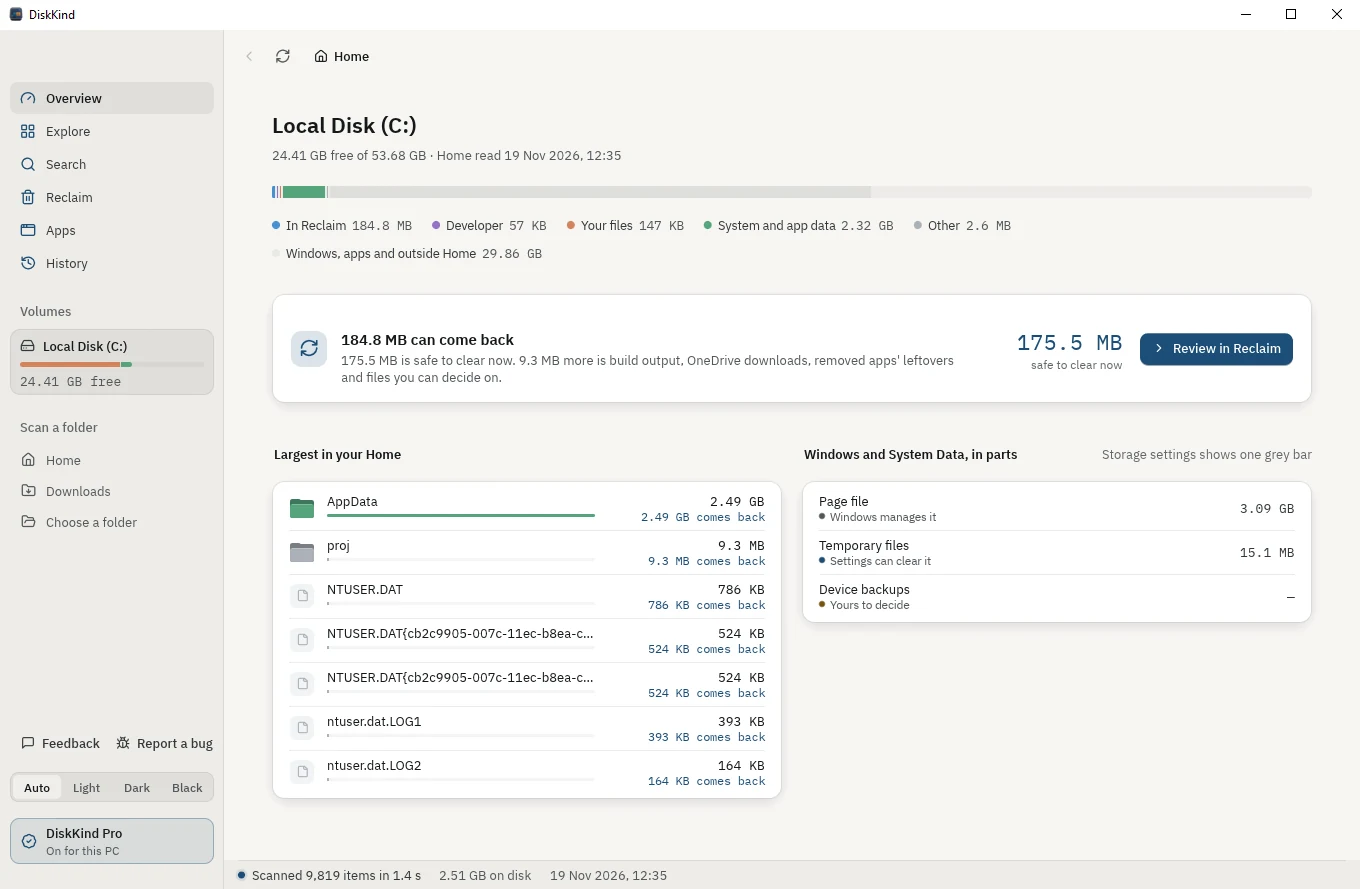
The same DiskKind as on the Mac, in Windows' own words. Search, History and Uninstall are part of DiskKind Pro, as on the Mac. Guides for Windows: C drive full, hiberfil.sys and pagefile.sys, Windows disk analyzers and Is CCleaner safe?.
Your whole drive, mapped
Every folder on Local Disk (C:), or any folder you choose, with what each one takes on disk.
Caches a tool makes again
Browser and app caches in AppData, such as Chrome, Edge, Brave, Firefox, VS Code and Discord, the npm and pip caches, and project build folders, each with a written reason.
The Recycle Bin, with Put back
Nothing is deleted. What you choose goes to the Recycle Bin, and History puts it back.
Programs, and what they leave
Apps lists your programs with their size and what they keep in AppData. With Pro, Uninstall runs the program's own uninstaller, then puts what it left into your plan.
Windows' own large files
The page file and temporary files, and the hibernation and swap files when Windows keeps them, with who manages each.
Which DiskKind to get
On a Mac, get it here if you want the command line or already have a Pro key, or from the App Store if you'd rather pay through Apple. On Windows, the Microsoft Store is the easy choice.
Version 1.0.4 · macOS 11 or later
Apple has checked it. You update it from this page. Pro is $29 once here, and one Pro key covers three computers, Mac or PC.
Download for MacIn Apple's review · macOS 12 or later
It will be in the App Store once Apple approves it. It keeps itself up to date, and you buy Pro inside the app through Apple. A Pro key from this website won't work in it, and it has no command line.
The link appears here once Apple approves it.
Version 1.0.4 · Windows 10 and 11, 64-bit
Microsoft signs it, so Windows installs it without a warning, and the Store keeps it up to date. Pro is $29 once here, with the same Pro key as on a Mac.

Version 1.0.4 · Windows 10 and 11, 64-bit
Windows may show a warning the first time, because this installer isn't signed yet. To update, download the new one from this page. Your Pro key works here too.
Download the installer